Jewelry Line Sheet Template
Give retail buyers a landscape line sheet they can scan and use to place an order. Show jewelry photos, materials, sizes, wholesale prices, MSRP and minimum order quantities together.
- A4 or Letter
- Landscape
- 1–100 pages
Inside the jewelry line sheet template
Built for jewelry catalogs
- Landscape cover, product pages and ordering-terms back cover
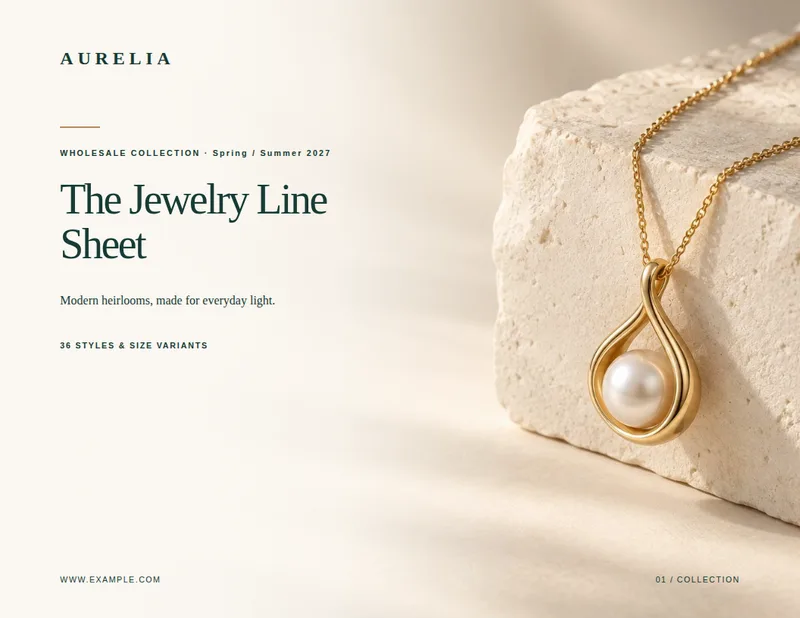
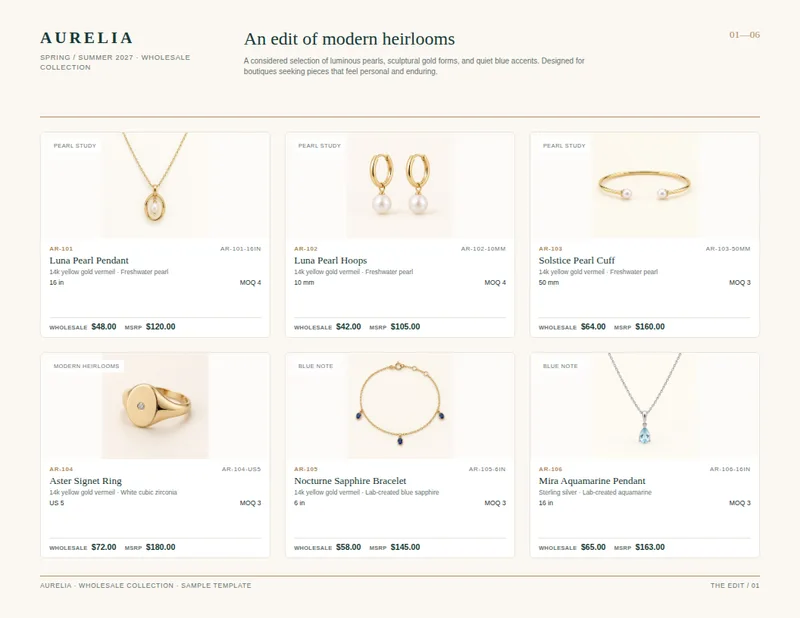
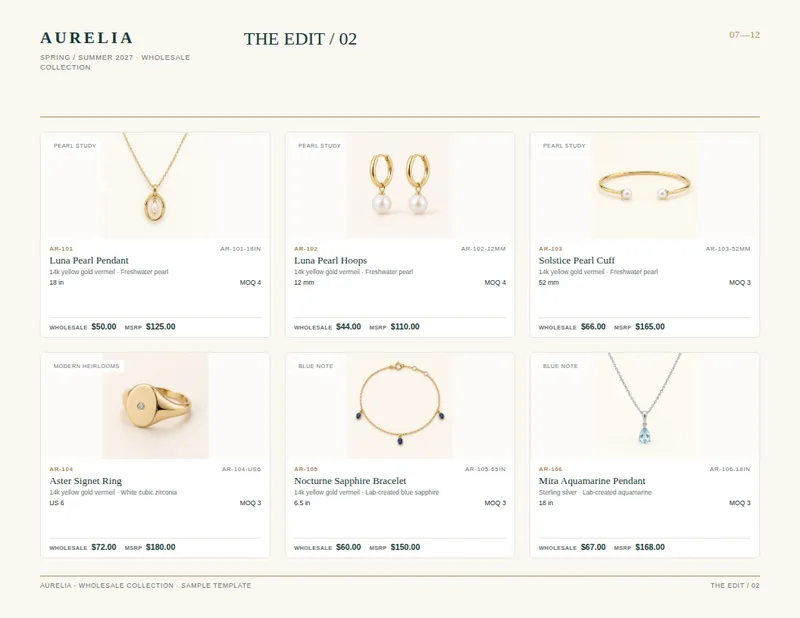
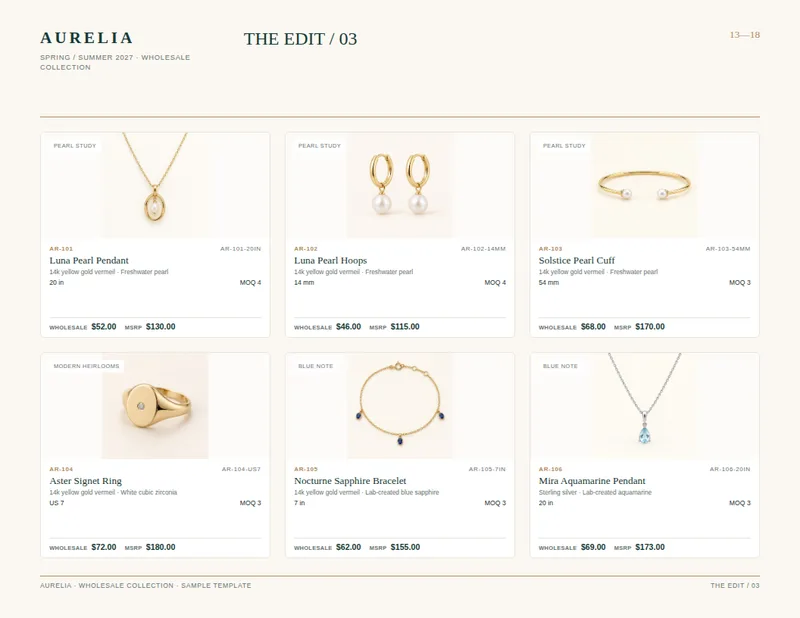
- Up to six photo-led product entries per page
- Style number and SKU shown with each jewelry piece
- Metal, stone, size, MOQ, wholesale price and MSRP together
- Optional cover photograph
Columns your spreadsheet needs
One row per product. Name your columns like this, or map your own column names when you connect the spreadsheet.
| Column | What goes in it | Example |
|---|---|---|
imagerequired | Product image | AR-101-16IN.jpg |
collectionrequired | Collection | Pearl Study |
style_norequired | Style number | AR-101 |
skurequired | SKU | AR-101-16IN |
namerequired | Product name | Luna Pearl Pendant |
metalrequired | Metal | 14k yellow gold vermeil |
stonerequired | Stone | Freshwater pearl |
sizerequired | Size | 16 in |
moqrequired | Minimum order quantity | 4 |
wholesale_pricerequired | Wholesale price | 48 |
msrprequired | MSRP | 120 |
A jewelry selection buyers can scan
This jewelry line sheet template opens with a cover that can feature an optional jewelry photograph, followed by landscape product pages and an ordering-terms back cover. Each product page holds up to six pieces. A page header provides space for your brand, season and collection, while a numbered product range helps buyers keep their place as they review the selection.
Each product entry pairs a photograph with the details needed to identify and compare a piece. The photo area carries the collection name. Beside it, buyers see the style number, SKU and product name, followed by metal, stone and size. The same entry shows the minimum order quantity, wholesale price and MSRP. That makes it useful for a boutique buyer comparing variants as well as a sales rep discussing an assortment.
Build the line sheet from product rows
Start with a spreadsheet containing one row per jewelry item or variant. Use image for the product photo filename and collection to identify its group. Keep style_no for the design reference and sku for the specific sellable item—for example, a pendant in a particular length. Add metal, stone and size so buyers can distinguish similar pieces without relying on the photo alone.
Enter numeric values in wholesale_price, msrp and moq. The finished entries place those buying details alongside the specifications, rather than sending buyers to a separate price table. Include matching jewelry images, and add a cover photo if you want a photographic opening page.
Finish with ordering details
The final page provides a place for ordering terms after the product selection. Use it to present your order minimum, payment and delivery information, plus contact or reorder details relevant to your buyers. The per-item MOQ remains visible on each product entry, so buyers can check quantities while browsing and refer to the back page for broader terms.
This layout suits jewelry brands, makers and distributors preparing a buyer-facing selection with consistent product information. It keeps the emphasis on the pieces while giving wholesale customers the codes, prices and quantities they need to discuss an order.
Jewelry Line Sheet Template, answered
How many jewelry items appear on each product page?
The layout places up to six product entries on each page. Each entry combines a photo, identifying codes, specifications, MOQ and prices.
Can I show different sizes of the same style?
Yes. Give each size its own spreadsheet row and SKU, and use the style number to show that the variants belong to the same design.
Which prices does the line sheet show?
Each product entry has a wholesale price and an MSRP. Enter both as numeric values in their respective spreadsheet columns.
Do I need a cover photo?
No. The cover photo is optional; product photos are supplied separately for the product entries.
Where do I put ordering terms?
The back cover has space for order minimum, payment, delivery and contact or reorder details. Item-level minimum order quantities appear with the products.
Make your line sheet from your spreadsheet
Start from this template, replace the sample data with your products and export a print-ready PDF.